

What do I need before I start?
An approved customer
The recipient's details to hand
How do I create the beneficiary?
- Bank account
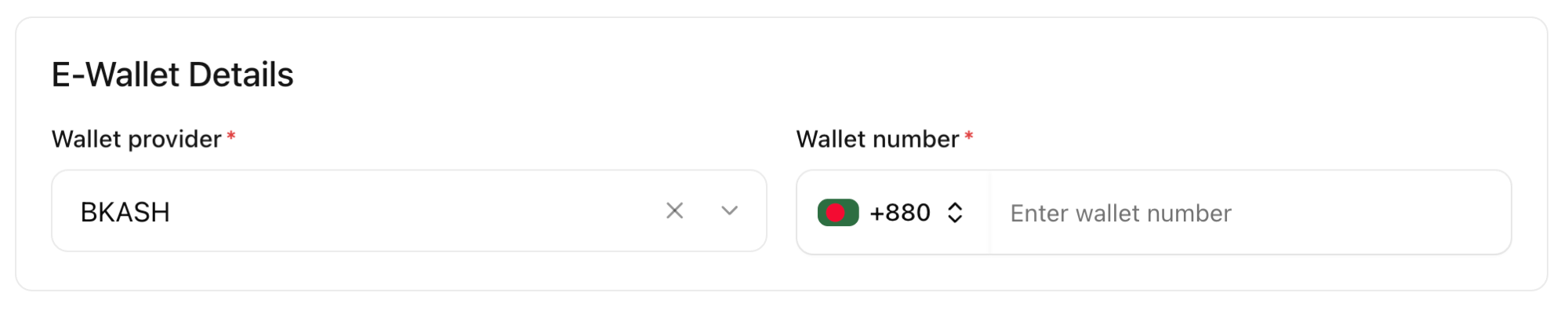
- E-wallet
Open the customer
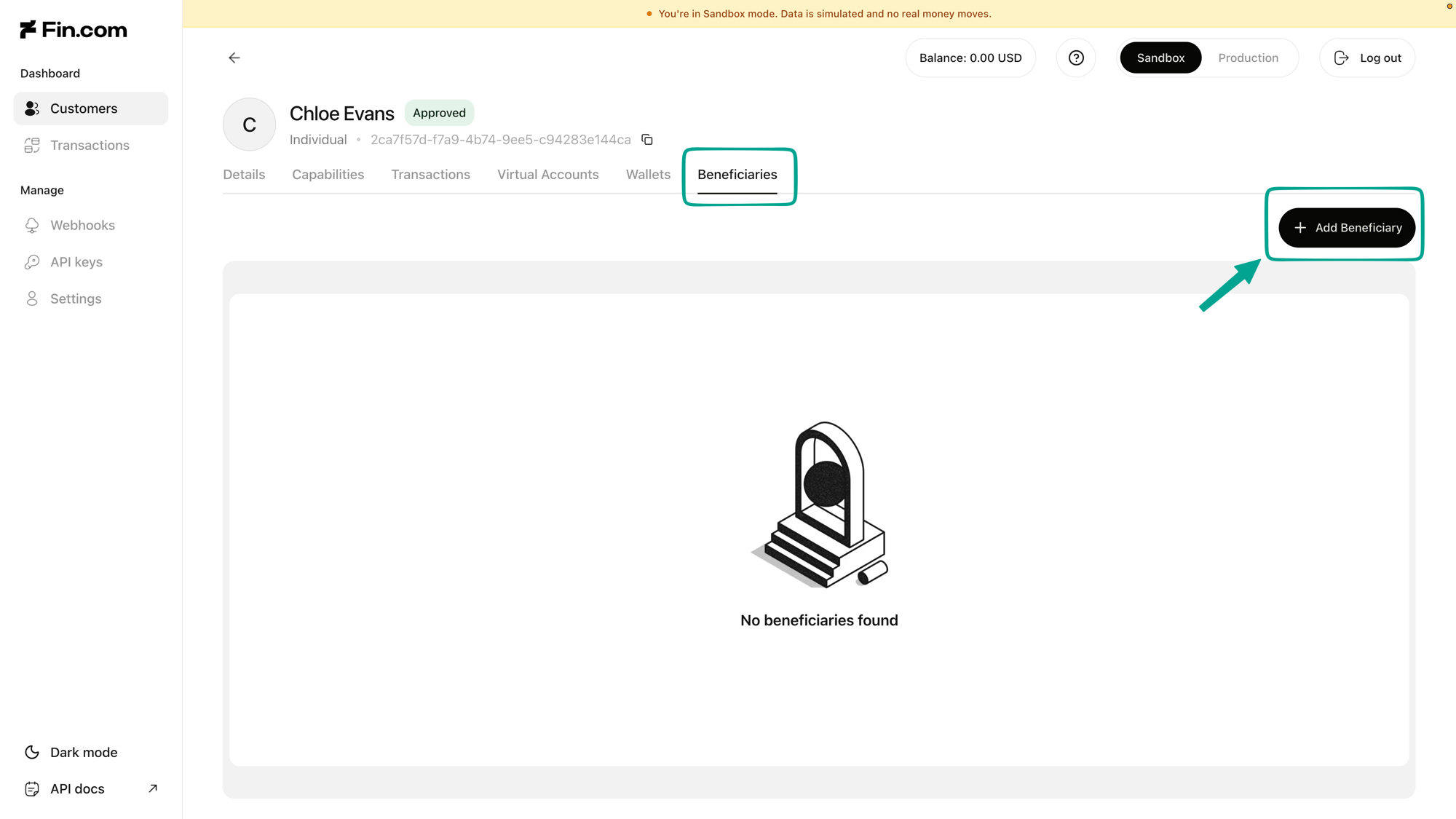
The Beneficiaries tab on a customer's details
Select the destination type
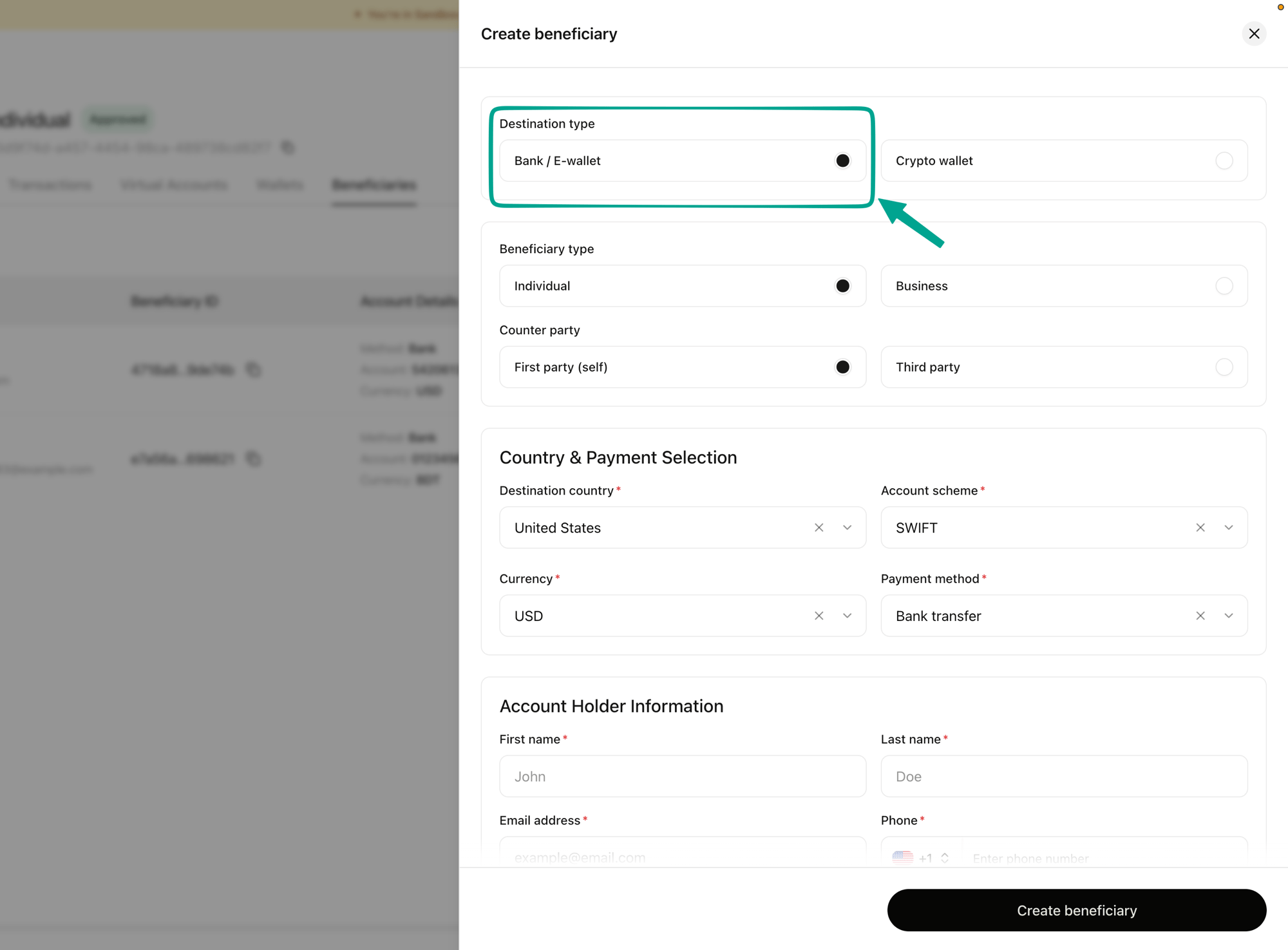
Choosing the destination type
Set the beneficiary type and counter party
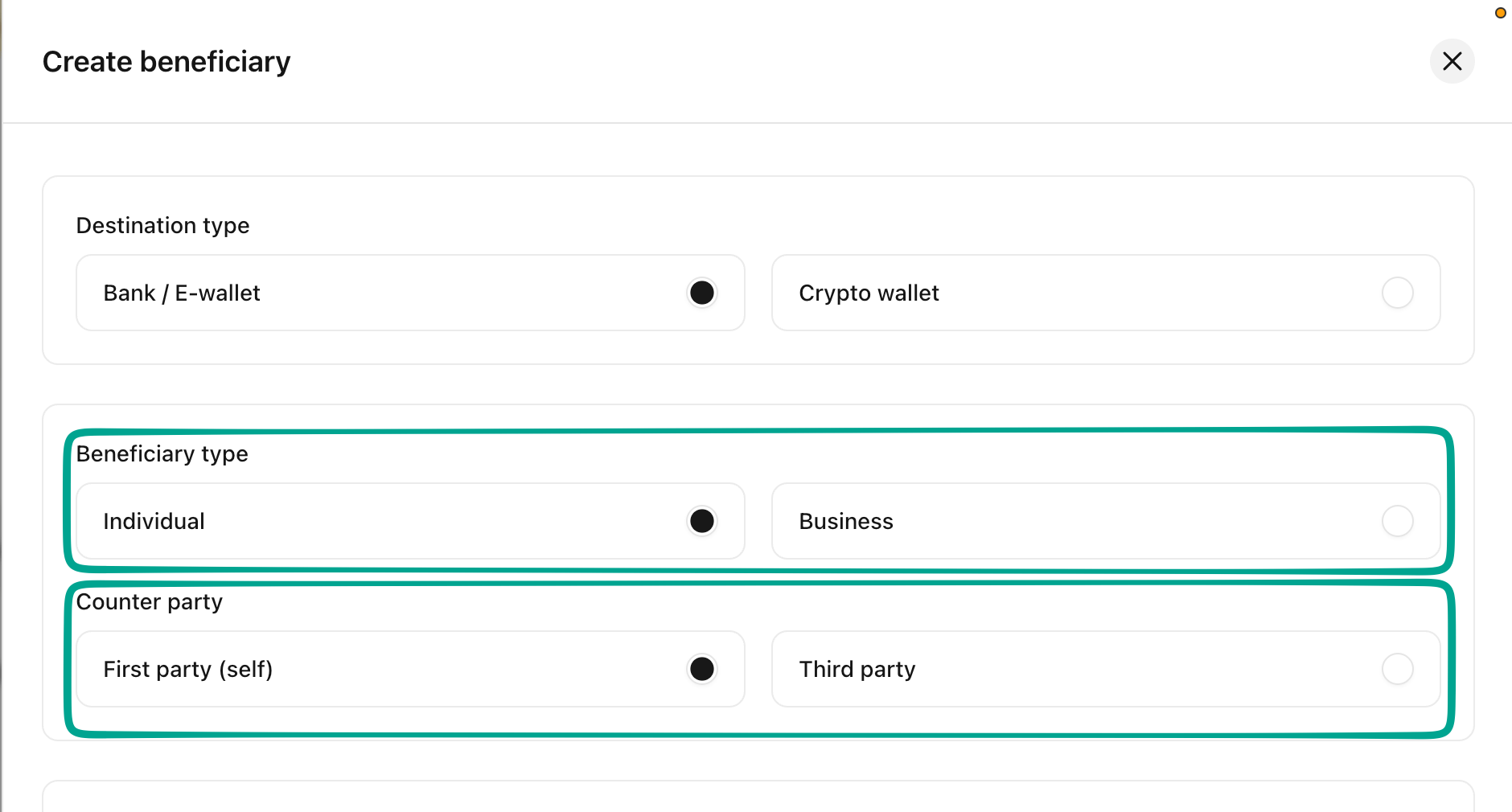
Setting the beneficiary type and counter party
Choose the country and payment method
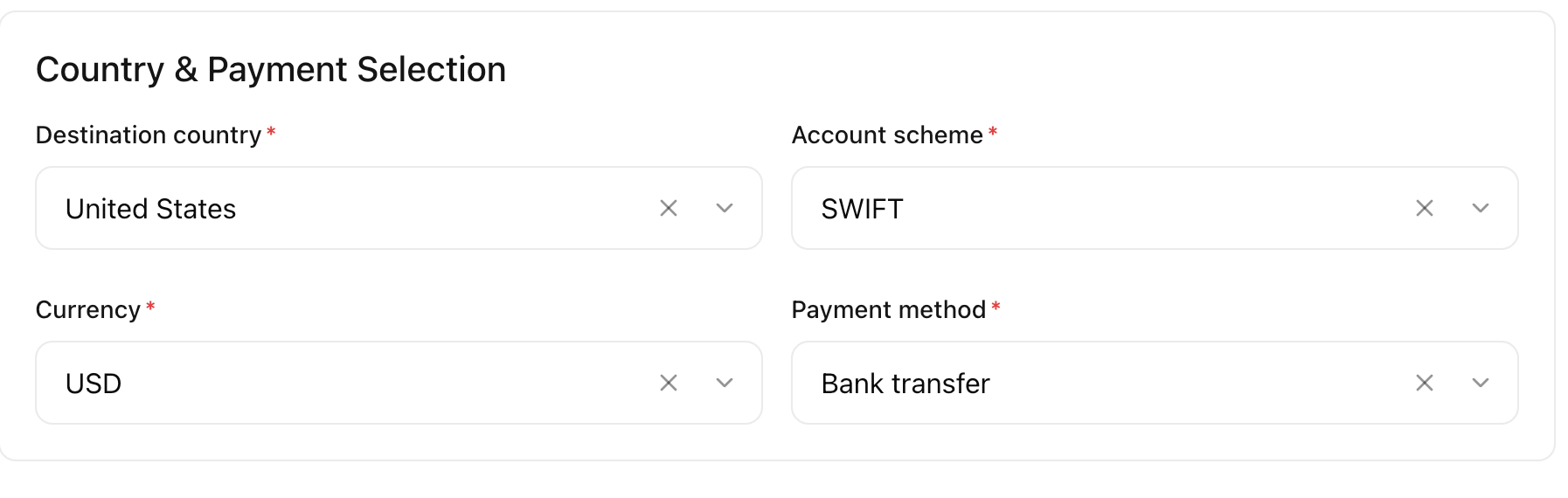
Country and payment selection for a bank transfer
Fill in the account holder information
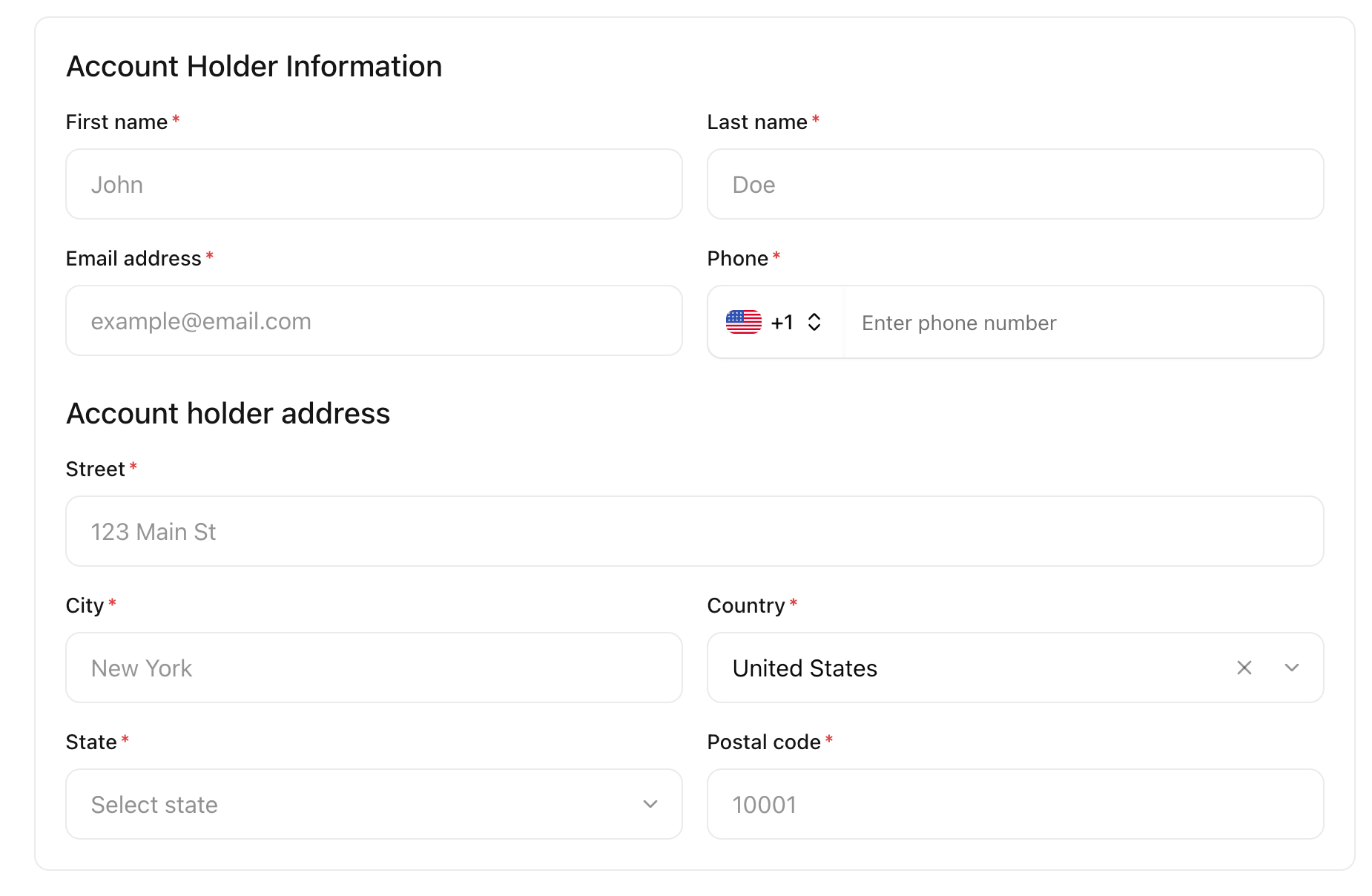
Account holder information and address
Add the bank details
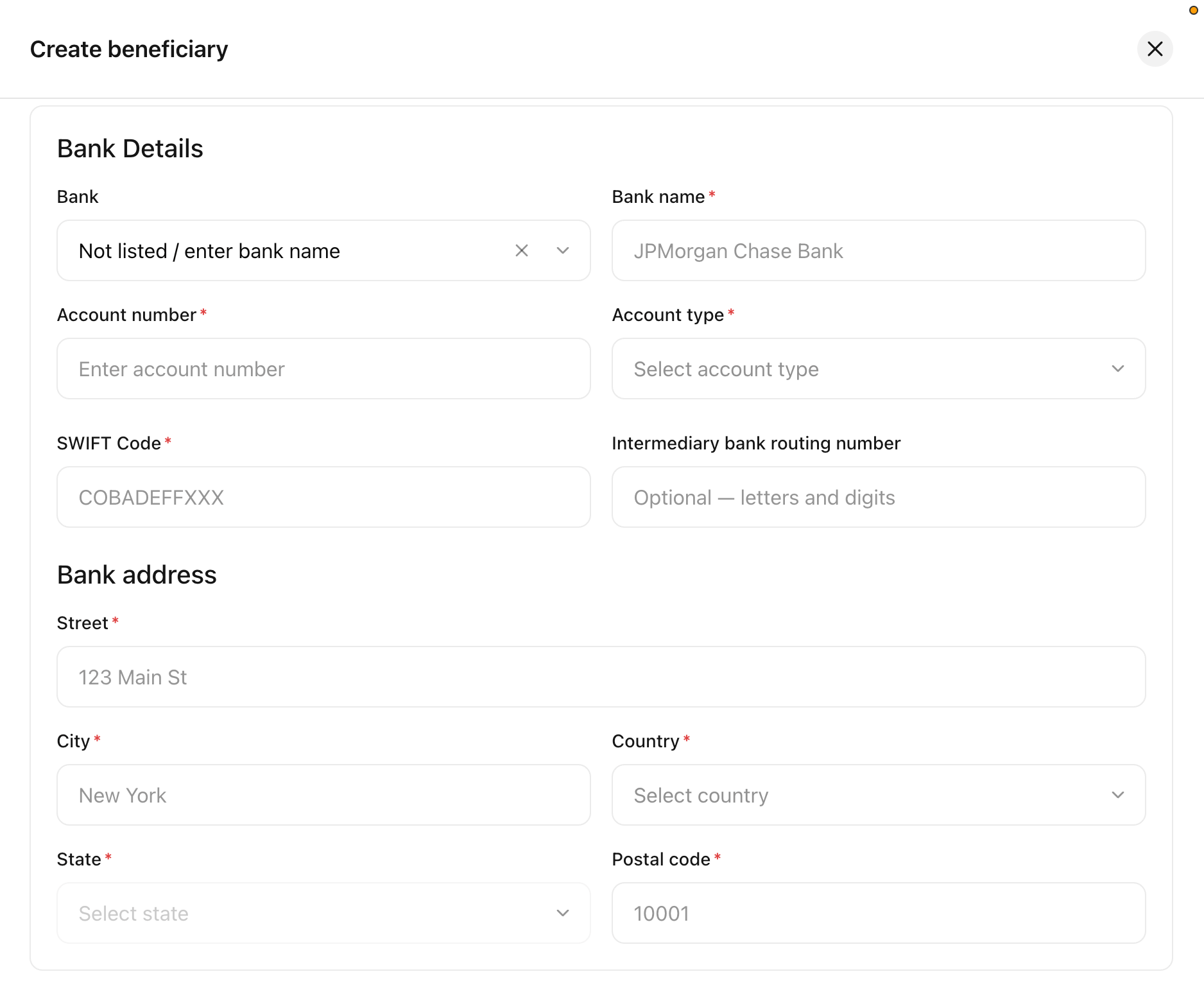
Bank details and bank address
Complete the compliance information
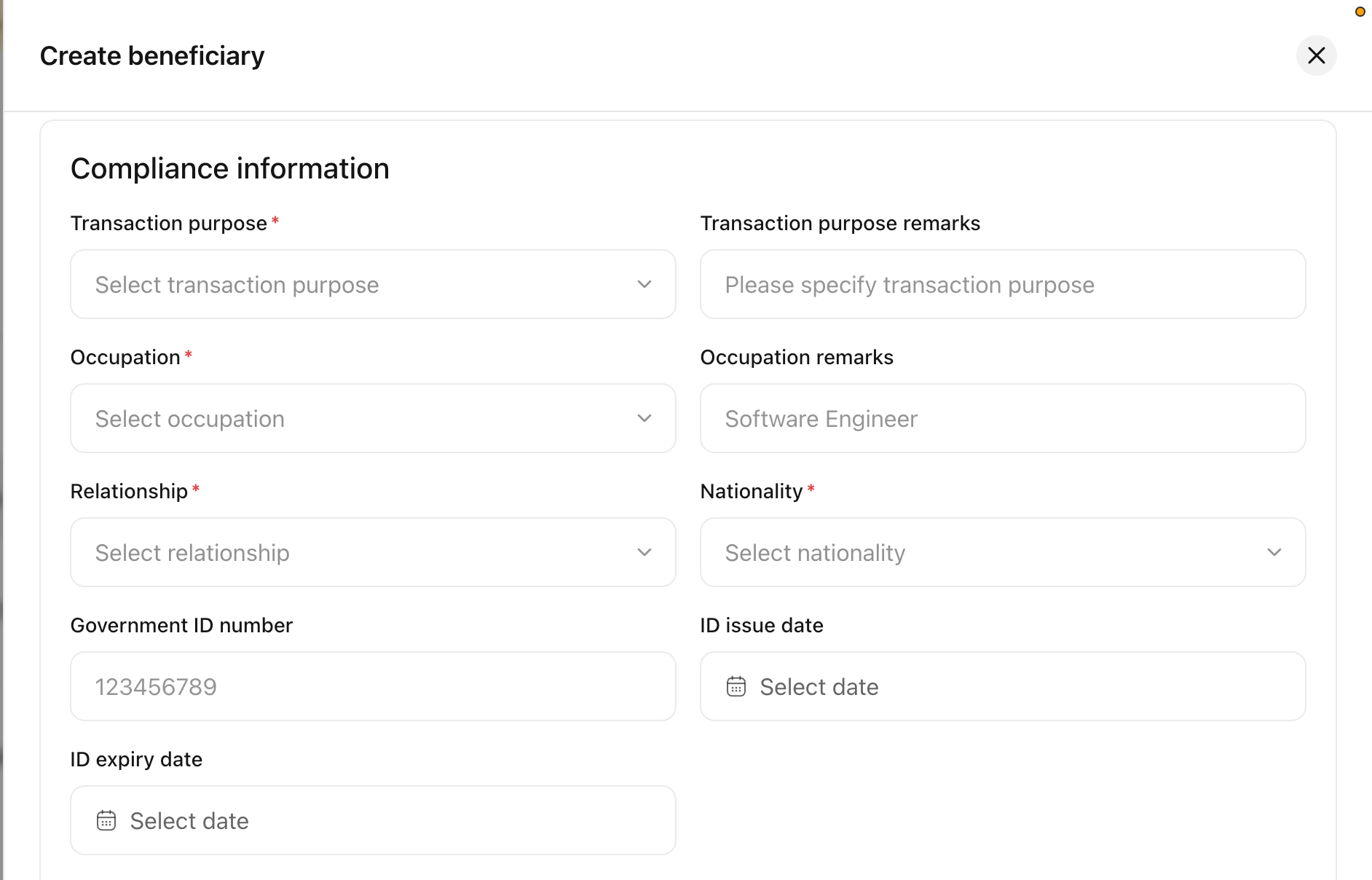
The compliance information section
Set your fee

The developer fee section
Configure the deposit and refund
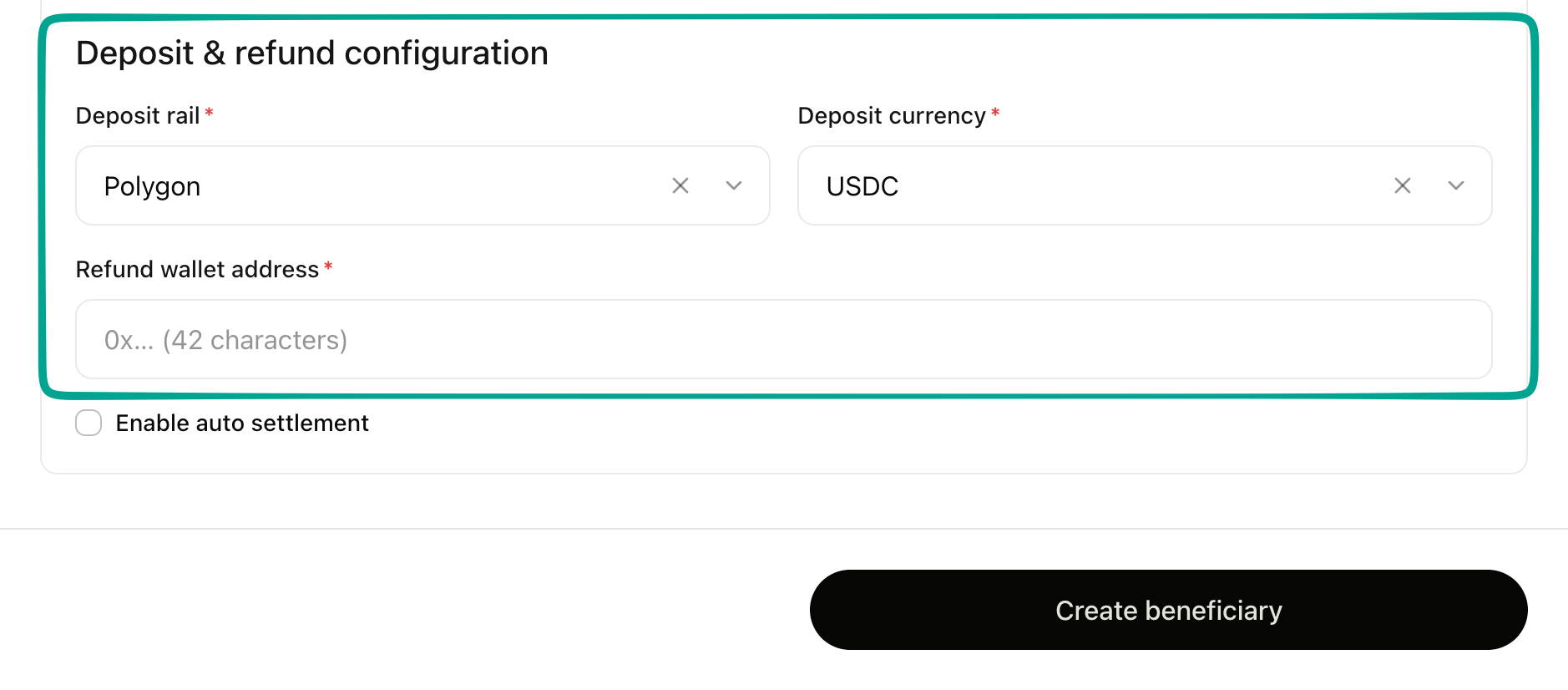
The deposit and refund configuration
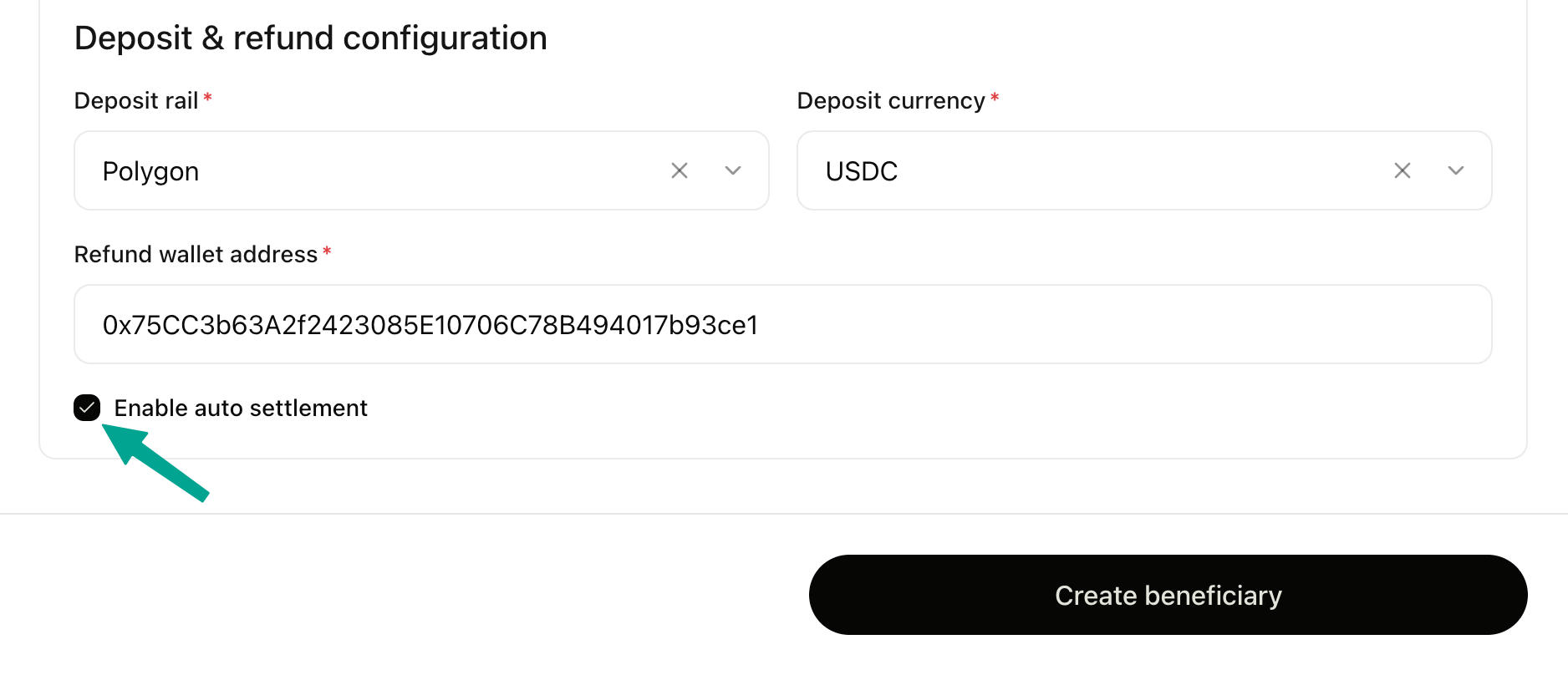
Enabling auto settlement
Create the beneficiary
How do I make a payment to my bank account and e-wallet?
Payouts are funded in crypto. Every beneficiary is issued its own Liquidation address, and money you send to that address is converted and paid out to the beneficiary’s bank account or wallet.Open the beneficiary
Copy the liquidation address
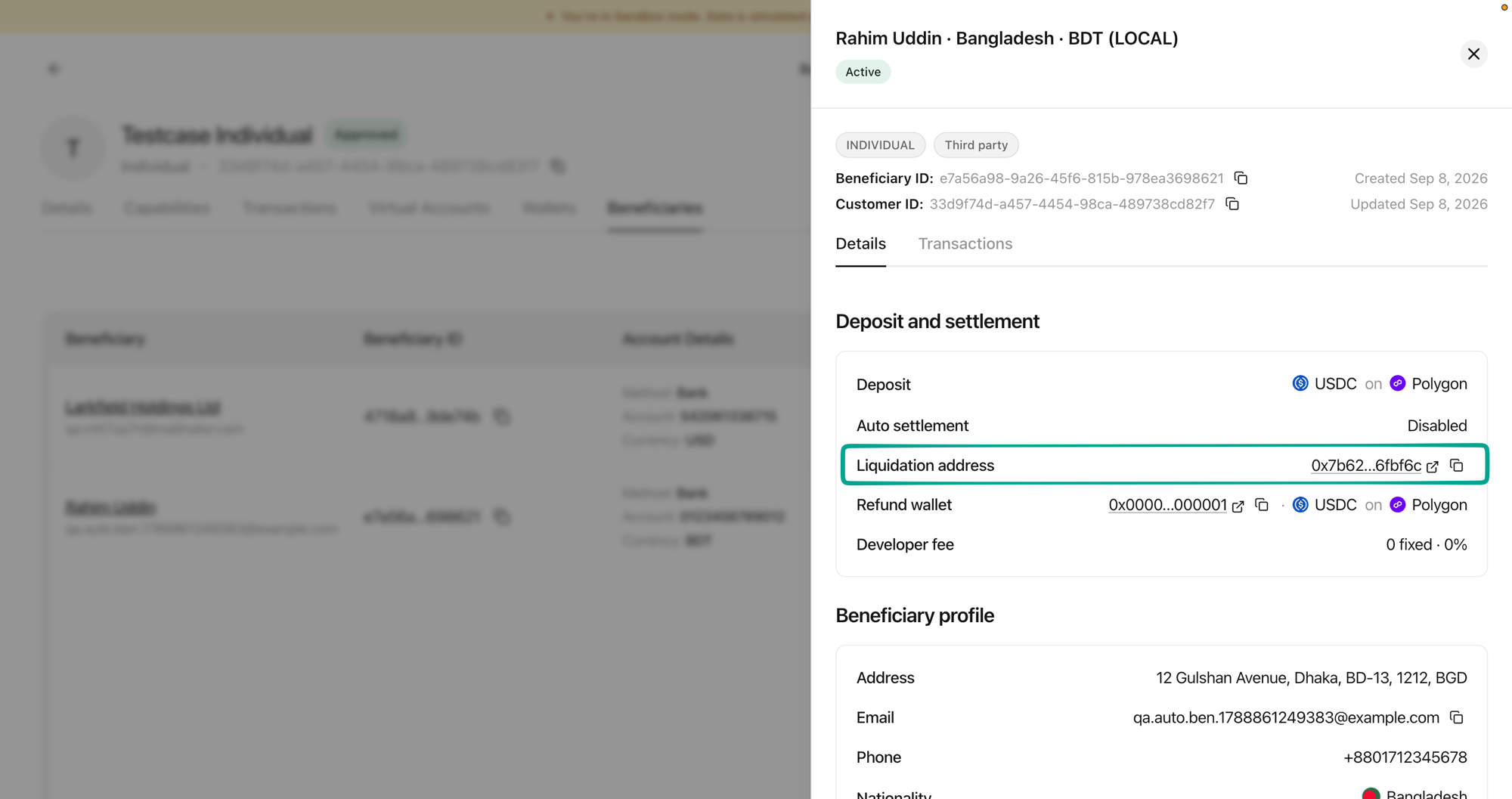
The liquidation address on a beneficiary's details
Send the crypto
We convert and settle it
Follow the payment
When can I start paying out?
A new beneficiary is not usable straight away. The details are validated first, and you can follow that in the Status column on the Beneficiaries tab.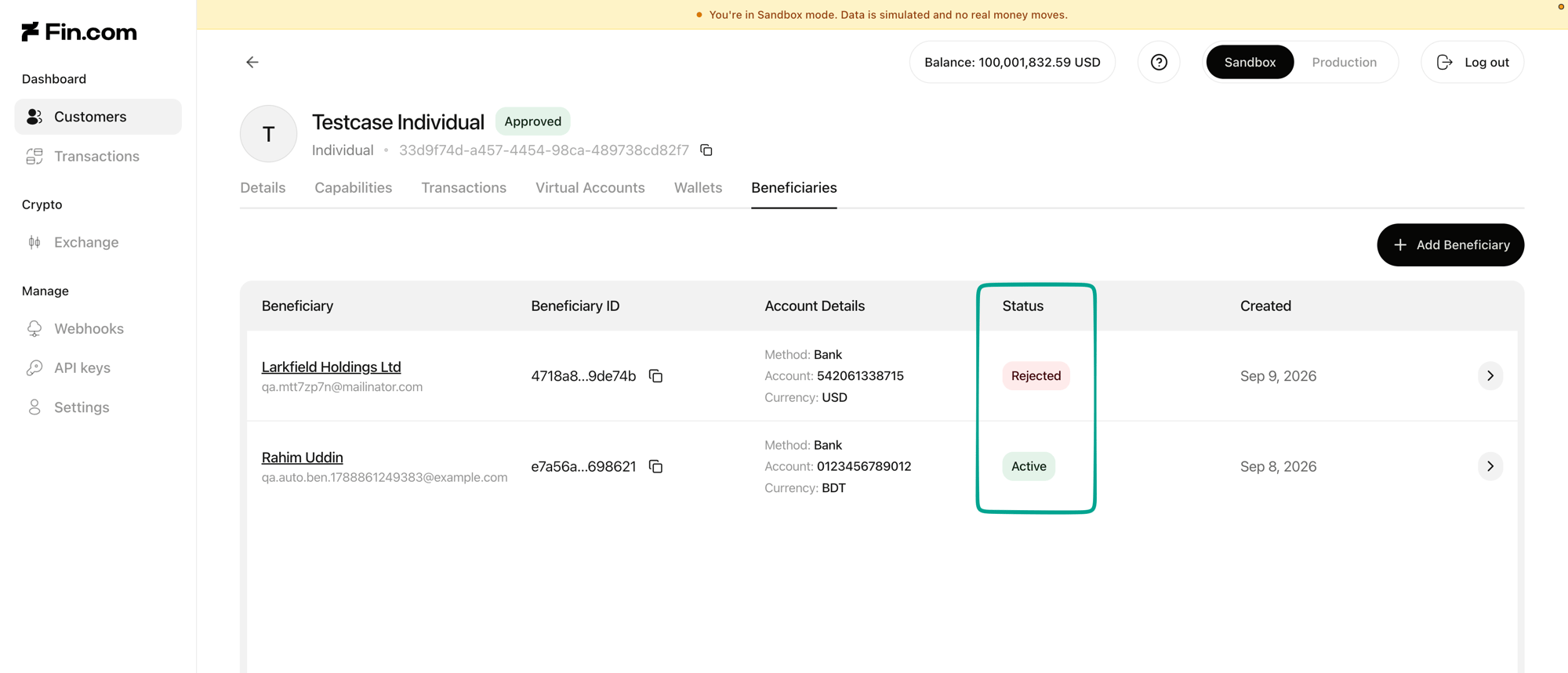
The Status column on the Beneficiaries tab